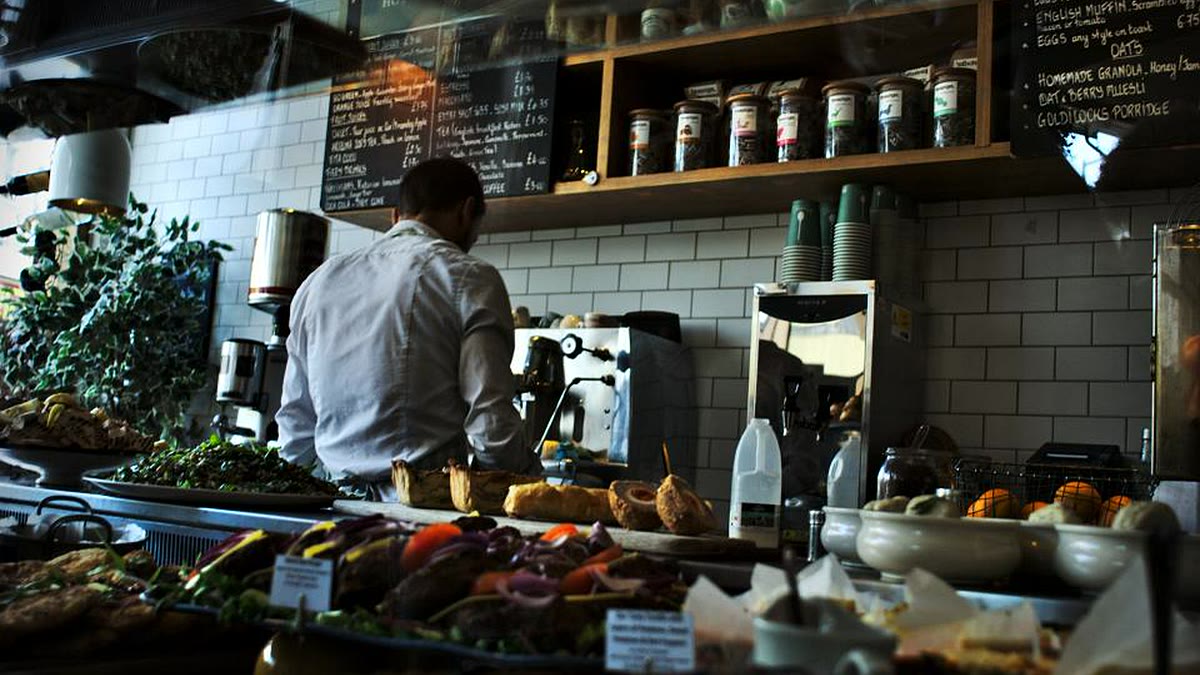
A restaurant can have a good kitchen and still lose money on digital operations. Orders arrive from dine-in, phone calls, WhatsApp, Facebook, the website and delivery partners. Each channel has its own menu, price, promotion and payment cycle. When those channels do not share a process, the kitchen receives duplicate tickets, the customer receives the wrong order and the month-end reconciliation takes longer than it should.
This troubleshooting guide maps the symptoms to likely causes, the fixes that hold and a diagnostic sequence you can run without buying new software first.
Map the symptoms before choosing a tool
List every place an order can enter, then follow one order from each channel to the kitchen and the bank.
Problem 1: Orders from different channels collide
Symptoms: the same order appears twice, a cancelled order is still prepared, or a phone order never reaches the kitchen.
Likely causes: staff re-enter orders from one screen into another; two systems have their own order numbers; a channel has no API and relies on a person watching a phone.
Fix: designate one order management system as the source of truth. Every channel creates an order with a unique ID and a channel reference. Use an API or webhook where the channel supports it. Where it does not, give one intake role a checklist and a timestamp. Add duplicate detection on the customer, phone, items and time window.
Problem 2: The menu and prices drift between channels
Symptoms: a sold-out item is still orderable online, the delivery partner shows an old price, or the QR menu differs from the counter menu.
Likely causes: the menu is maintained in three places; updates are made during service; there is no approval step.
Fix: create one menu master and publish to every channel from it. Mark items unavailable at the source, not in each channel. Schedule price changes outside service hours and keep a change log. If a partner requires manual updates, assign a named person at opening and closing.
Problem 3: Kitchen tickets are lost or delayed
Symptoms: the kitchen receives a paper ticket but not the digital one, tickets print twice, or the expeditor cannot tell which order is next.
Likely causes: printers and tablets are on separate networks; the kitchen display depends on the same connection as the POS; there is no fallback when a device fails.
Fix: put kitchen devices on a supported network with a backup connection. Use a queue that retries and shows ticket age. Keep a printed fallback sequence and a named person responsible for the pass. Test the failure path during a quiet service, not during dinner. Define order states so the kitchen, counter and delivery partner see the same status.
Problem 4: Payments do not reconcile
Symptoms: cash is short at closing, a mobile financial service payment cannot be matched to an order, or the delivery partner's payout is lower than expected.
Likely causes: tips, discounts and refunds are recorded in different places; the payment provider settles later than the sales report; delivery commissions are deducted at source.
Fix: reconcile daily with a three-way match: POS sales, payment provider statement and bank or mobile wallet credit. Record the channel, commission and settlement date on every payment. Separate cash, card and mobile wallet in the closing report. Investigate variances the same day, while the shift is still available to explain them. Do not use the POS total as the bank total.
Problem 5: Food cost and wastage are invisible
Symptoms: the monthly food cost is higher than expected, stock counts do not match purchases, or staff comp meals without a record.
Likely causes: recipes are not linked to inventory; portion sizes are inconsistent; wastage is written on paper and never entered.
Fix: define a recipe or bill of materials for each menu item, including yield and portion. Record wastage with a reason at the point it happens. Count high-value items weekly and the full store monthly. Compare theoretical usage with actual usage and investigate the largest gaps first.
Problem 6: Staff work around the system
Symptoms: orders are written on paper, the manager keeps a personal spreadsheet, or only one person knows how to correct a mistake.
Likely causes: the system is slower than the old habit, training was one session, or permissions are too restrictive to handle real exceptions.
Fix: observe a full shift and time the tasks, not the features. Give each role the permissions it needs, with an audit trail for overrides. Train a super-user per shift and keep a one-page card at the counter. Adoption is an operating problem, not a training video.
Problem 7: Customers do not know the order status
Symptoms: repeated calls asking "where is my order?", cancelled delivery orders, or disputes about whether a message was sent.
Likely causes: status changes are not captured, messages are sent manually, or the channel does not support the message type.
Fix: define a small set of statuses and update them at the point of work: accepted, preparing, ready, dispatched, delivered, cancelled. Automate the customer message from the status change, using approved message templates where the platform requires them. Include the order reference and a realistic time window.
Diagnostic sequence
- Draw the order flow for each channel, from entry to payment.
- Count orders by channel and by hour for one week.
- Identify the current source of truth for menu, orders and payments.
- Check how each integration works: API, webhook, file or manual entry.
- Reconcile one full day end-to-end and list every variance.
- Observe a peak shift and record workarounds.
- Fix the highest-volume failure first, then re-measure.
Metrics that matter
Track order accuracy, ticket time, preparation time, delivery time, cancellation rate, reconciliation variance, food cost percentage, wastage value, stock accuracy by high-value item and the share of orders entered manually. Add overrides per shift and time to close; they show whether the process is improving, not just whether software is installed.
What to buy, what to connect
A POS with a documented API, a kitchen display that tolerates disconnection and reporting that combines channels are more valuable than a long feature list. If partners or a website already own part of the flow, invest in integration and reconciliation before replacing the POS. For multiple branches, define the menu and price hierarchy centrally but allow local availability.
The Bangladesh context
Restaurants here often take orders through Facebook and WhatsApp, and payments through cash, cards and mobile financial services. That mix makes manual intake and reconciliation the default failure point. Bengali menus and receipts, VAT, delivery commissions and multi-branch stock transfers all need to be designed into the process. Test on the dining-room network, not only in the office.
Where this fits in our work
If you need help connecting the POS, kitchen, delivery channels and reporting, start with Operations Systems and review the engagement options on our pricing page. For the order-intake side, read the WhatsApp workflow automation guide.
Sources
- Toast documentation, accessed 17 November 2026.
- Meta, "WhatsApp Cloud API", accessed 17 November 2026.
- PCI Security Standards Council, accessed 17 November 2026.
- Bangladesh Bank, "Mobile Financial Services", accessed 17 November 2026.

Responses (0)
No comments yet. Add the first one below.
Leave a response
Your email address will not be published. Required fields are marked *.