
Most software projects do not fail because a developer could not write code. They fail because two parties agreed to different things and nobody wrote down which one was true. A requirements document is the artefact that settles that argument before it becomes an invoice dispute.
This template is for a business owner or operations manager in Bangladesh commissioning a system: an order portal, a distributor app, an approval workflow or a reporting layer. It is deliberately short enough to finish and specific enough to test.
What the document has to decide
A requirements document is not a wish list. It records decisions that constrain the build. Seven decisions matter most:
- Outcome: the business result the system exists to produce, stated in one sentence.
- Scope boundary: what ships in the first release, and what is explicitly deferred.
- Users and permissions: who does what, from which device, and what they must never see.
- Workflow: the states a record passes through and who can move it from one state to the next.
- Data: the fields that must be captured, their source, their owner and their retention period.
- Integrations: every external system, the direction of data flow and the failure behaviour when a system is unavailable.
- Acceptance: the tests that prove the first release is finished.
A short document the sponsor has signed beats a long one nobody reads.
Section-by-section template
Use these headings in order. For each section, name an owner and the evidence that proves it is complete.
1. Purpose and success measures
Owner: business sponsor. Evidence: one paragraph describing the current process and its cost, plus two or three measures with a baseline you can actually collect today. "Reduce order entry time" is not a measure. "Cut the average time between a confirmed order and a warehouse pick list from the current manual figure to under one hour" is a measure.
2. Scope and out-of-scope
Owner: product owner. Evidence: a numbered in-scope list and a separate out-of-scope list. The out-of-scope list is the most valuable page in the document. It protects both sides when a manager asks for "just one more report" in week ten.
3. Roles and permissions
Owner: operations lead. Evidence: a role table showing create, read, update, approve and delete rights. Include people who cover for absent staff, because holiday cover is where permission shortcuts appear.
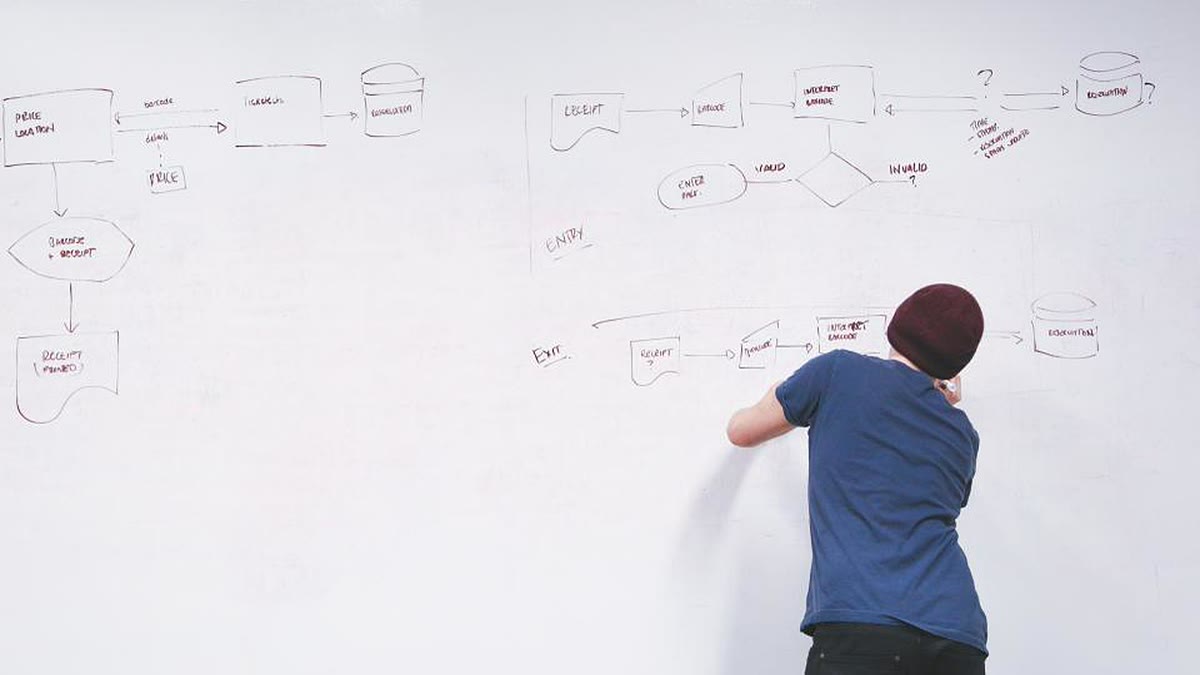
4. Process flows
Owner: process owner. Evidence: one diagram per core flow with a start event, an end event and every exception branch. Walk the diagram with the staff who do the work, not with their manager.
5. Data dictionary
Owner: business analyst. Evidence: a table of fields with type, allowed values, whether the field is mandatory, who may edit it and where it comes from. Resolve spelling variants and duplicate customer records here, before migration makes them permanent.
6. Integrations and interfaces
Owner: technical lead. Evidence: for each integration, the counterparty system, the protocol, the payload, the authentication method, the rate limit and the retry or failure rule. "It will connect to the accounts system" is not a specification.
7. Non-functional requirements
Owner: technical lead with the sponsor. Evidence: agreed targets for response time, availability during business hours, backup frequency, recovery time, audit logging and data residency. State each target so it can be measured, and state what happens when it is missed.
8. Reporting and exports
Owner: finance or operations lead. Evidence: each report's purpose, audience, refresh frequency, filters and the exact definition of every calculated field. Two teams can agree on the word "revenue" and still mean different things.
9. Acceptance criteria
Owner: product owner and tester. Evidence: testable statements written as Given, When, Then. Each criterion should be traceable to a numbered requirement and to a test case.
Writing acceptance criteria that survive review
Good criteria describe observable behaviour.
- Testable: "Given a confirmed order and an available stock item, when the warehouse user scans the item, then the order status changes to packed and the stock balance decreases by the scanned quantity."
- Not testable: "The system should be easy to use and fast."
- Testable: "When the courier API does not respond within ten seconds, the order is saved with a pending consignment status and appears in the exceptions queue."
- Not testable: "The system must handle integration errors gracefully."
Write the criteria before the estimate, not after. A vendor who prices work without acceptance criteria is pricing a hope.
The evidence pack
Attach these files to the signed document. They turn an opinion into a record:
- The signed scope and out-of-scope pages.
- Current process maps and the future-state maps.
- The data dictionary and a sample import file with real field names.
- Interface contracts, API documentation or screenshots of the existing export.
- Non-functional targets and the measurement method.
- An open-issues log with an owner and a decision date for each item.
Review gates before build
- Walkthrough: the people who perform the work read the process flows and correct them. Do not accept a walkthrough attended only by managers.
- Developer read-back: the technical lead explains the document back in their own words. Gaps appear quickly.
- Estimate against the document: the quote references requirement numbers. A quote that cannot be traced to a page is not comparable with another quote.
- Change control: agree how a change is requested, priced, approved and recorded. The process matters more than the form.
Verification checklist
Before signing, test the document itself with these questions:
- Can a new team member explain the core workflow after reading it once?
- Does every acceptance criterion have an observable pass or fail condition?
- Is every integration named, with an owner and a failure rule?
- Is every out-of-scope item recorded, so it cannot silently return?
- Does the document state who approves a change and how long that approval takes?
Common mistakes
- Writing requirements as screens. A screen is a design choice. The requirement is the decision the user must be able to make.
- Skipping the current-state map. If you do not document how the work happens now, you cannot tell whether the new system improved it.
- Leaving data migration out. Existing spreadsheets, duplicate customers and inconsistent product names are part of the project.
- Treating sign-off as the end. Requirements change. The document should be a living record with a version and a change log, not a PDF filed after kickoff.
Metrics for the document itself
Track change requests per release, requirements rework after the first walkthrough, first-cycle acceptance pass rate and time from draft to signed scope. These show whether the template is improving.
If you need help turning this template into a scoped build, start with Custom Software & Integrations. The pricing page explains how discovery, delivery and support are separated. For the interface section of the document, read the REST API design checklist.
Sources
- IIBA, A Guide to the Business Analysis Body of Knowledge (BABOK Guide), accessed 17 November 2026.
- ISO/IEC/IEEE 29148:2018, Systems and software engineering - Life cycle processes - Requirements engineering, accessed 17 November 2026.
- GOV.UK Service Manual, Writing user stories, accessed 17 November 2026.
- NIST SP 800-218, Secure Software Development Framework (SSDF) Version 1.1, accessed 17 November 2026.


Responses (0)
No comments yet. Add the first one below.
Leave a response
Your email address will not be published. Required fields are marked *.